AI Assistant
On
English · Roman Urdu

We offer
One cloud EMS for fees, finance, exams, attendance and HR — with AI Based Software and free Android apps for owners, parents and teachers.
On
English · Roman Urdu
3 jobs
scheduled this month
Pilot
2 gates online
A simple walkthrough — from the big picture to the modules that run your school every day.
One screen for your whole school — fees, staff, classes and apps linked together.
Your school control centre
Web portal + Owner App + Teacher App
Rs 6,000
51 students
Rs 0
Every branch feeds one web portal — fees, attendance and reports stay live for head office.
One login · all campuses
Rs 35.7L
12,480
94%
Built for school owners and principals — less paperwork, more teaching time.
Admin work drops so teachers and owners focus on students.
Ask questions in English or Roman Urdu. Auto fee reminders. Face Attendance at the gate.
HBL, Alfalah, Meezan, PayPro, KuickPay — payment posts into EDUBase automatically.
Parents, teachers and owners on Android — plus QR and Face Attendance apps.
Cloud hosted and backed up. One database per school. Updates arrive automatically — nothing to install on office PCs.
Ten strengths that run through the module sequence — from Front Desk to Communication.
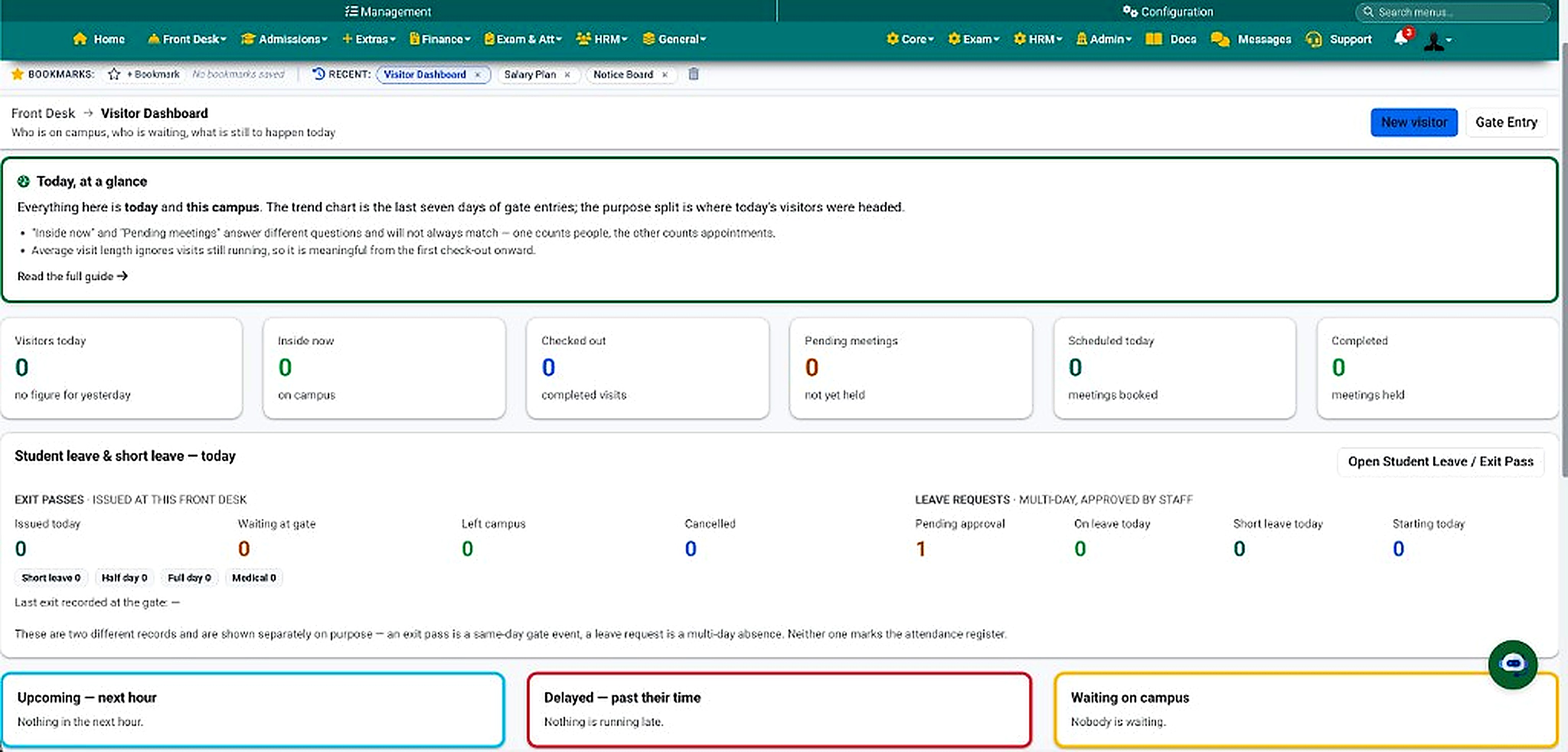
Visitors · Gate · Exit passes
Register visitors, check them in and out at the gate, book meetings, and issue student exit passes — with traffic reports.
Admissions · Profiles · Promotions
From inquiry to enrollment, sibling links, class promotions and live strength — the student record every other module uses.
38
this month
1,204
students on roll
Ready
next session draft
Plans · Challans · Collections
Fee plans, bulk and installment challans, family pay and discount approvals — collections without spreadsheet chaos.
Rs 35.7L
of Rs 50.1L due · 71%
51
Rs 5.9L outstanding
186
generated · 94 paid
HBL · Alfalah · Meezan · PayPro · KuickPay
Parents pay at the bank, app or kiosk. Consumer number on the voucher; EDUBase posts payment in real time.
Rs 2.4L
posted today · auto
186
challans via bank
Rs 0
Cash · Bank · Online
Ledger · P&L · Purchases
Double-entry books with auto postings from fees and payroll — trial balance, P&L and purchase requisitions in one place.
+12%
Income Rs 42L
Balanced
128 accounts
7 open
awaiting approval
Students & Employees · 5 channels
One engine for children and staff. Web portal, QR App, Teacher App geo, Face Attendance App and biometric machines all write to the same tables.
94%
842 students · 48 staff
51 + 5
alerts queued
1,108
QR · Face · Biometric · Geo
Subjects · Award lists · Results
Subjects and weightage, award lists, branded result cards, date sheets and roll-number slips — exam cycle in one flow.
48 pending
of 312 compiled · 84%
1,204
ready to print
Live
mid-term published
Staff · Salary · Lecture pay
Employee records, leave and Teacher App login, salary plans with attendance deductions, and lecture-wise pay for visiting faculty.
48 / 53
91% present today
5 pending
awaiting approval
Ready
month salary sheet
PTM · Diary · Notices · Houses
Day-to-day learning life — PTMs with AI voice summaries, class diary to parents, notices and house system.
12
this term
86%
classes posted
9
active this week
Messages · SMS · WhatsApp · Push
In-app Messages, free SMS on your own SIM, branded SMS, WhatsApp and push — with templates, logs and contact-detail screening.
128
14 unread threads
42 sent
free SIM sender
6 live
read tracking on
Fees · Exams · 360° · Owner
Defaulters and collection reports, teacher performance, Student 360°, and owner daily P&L — on web and in the Owner App.
51
Rs 5.9L outstanding
Score 86
risk flags · timeline
+ Rs 1.2L
income − expense
Assistant · Automation · Face AI
In-portal assistant in English and Roman Urdu, scheduled fee automations, and Face Attendance AI at the gate.
On
English · Roman Urdu
3 jobs
scheduled this month
Pilot
2 gates online
Roles · Logs · Hosting
Institute-code login, per-screen privileges, activity log, one database per school, backups and monitoring.
24
campus-scoped roles
312
actions today
OK
last run 02:00
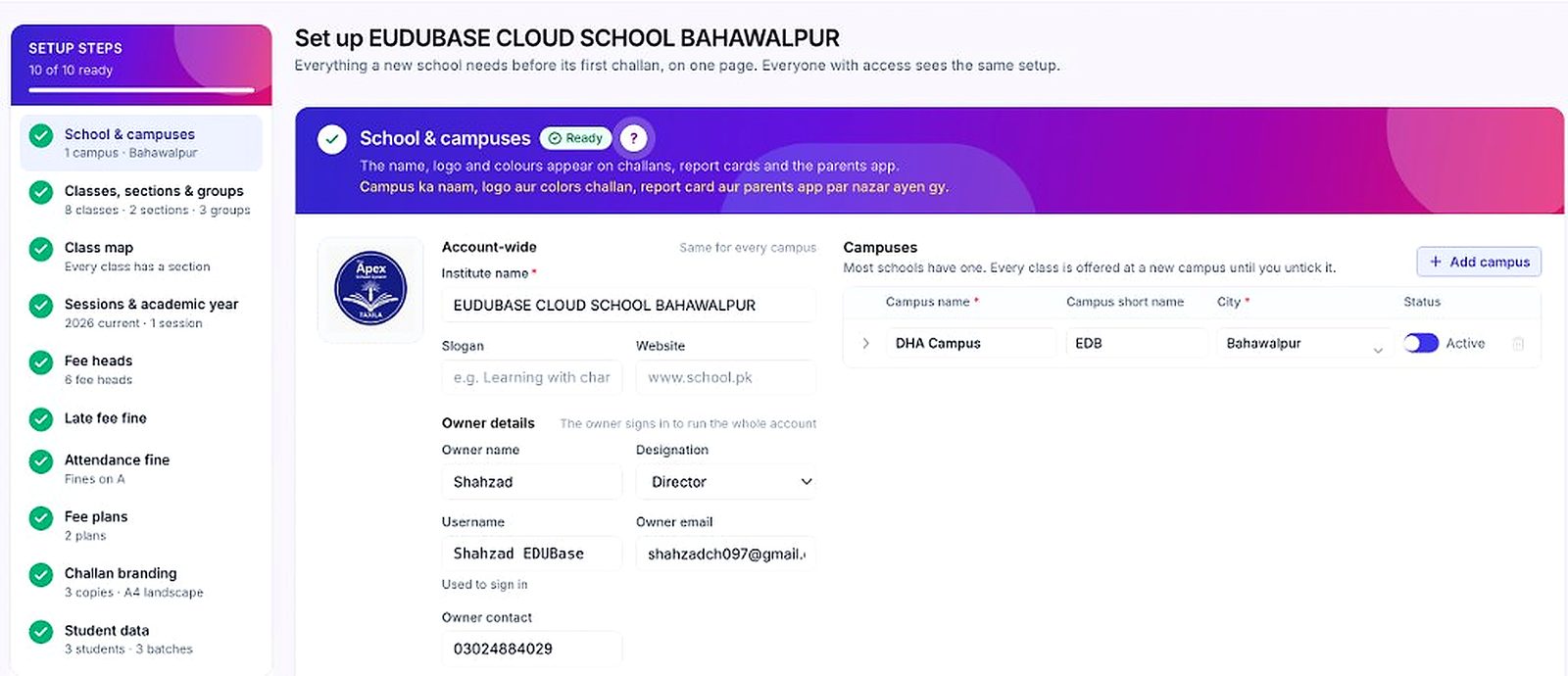
Campuses · Sessions · Import
Campuses, sessions, classes and Excel onboarding — get the school live once, then every module shares the same structure.
Three main apps · Plus gate & messaging tools
Three primary Android experiences for owners, parents and teachers — all with live phone screen previews on this page.
Owner App — screens auto-move: Login · Home · Reports · Connect · Approvals
Parents App — Welcome · OTP · Home · Academics · 360° · Fees · Connect
Teachers App — Login · Home · Students · Notifications
What teachers, parents, owners and students gain from one cloud EMS.
From the first Excel upload to Face Attendance pilots and everyday support.
See AI assistant, Face Attendance App, bank collection and modules in a live walkthrough.
Where innovation meets education management.